


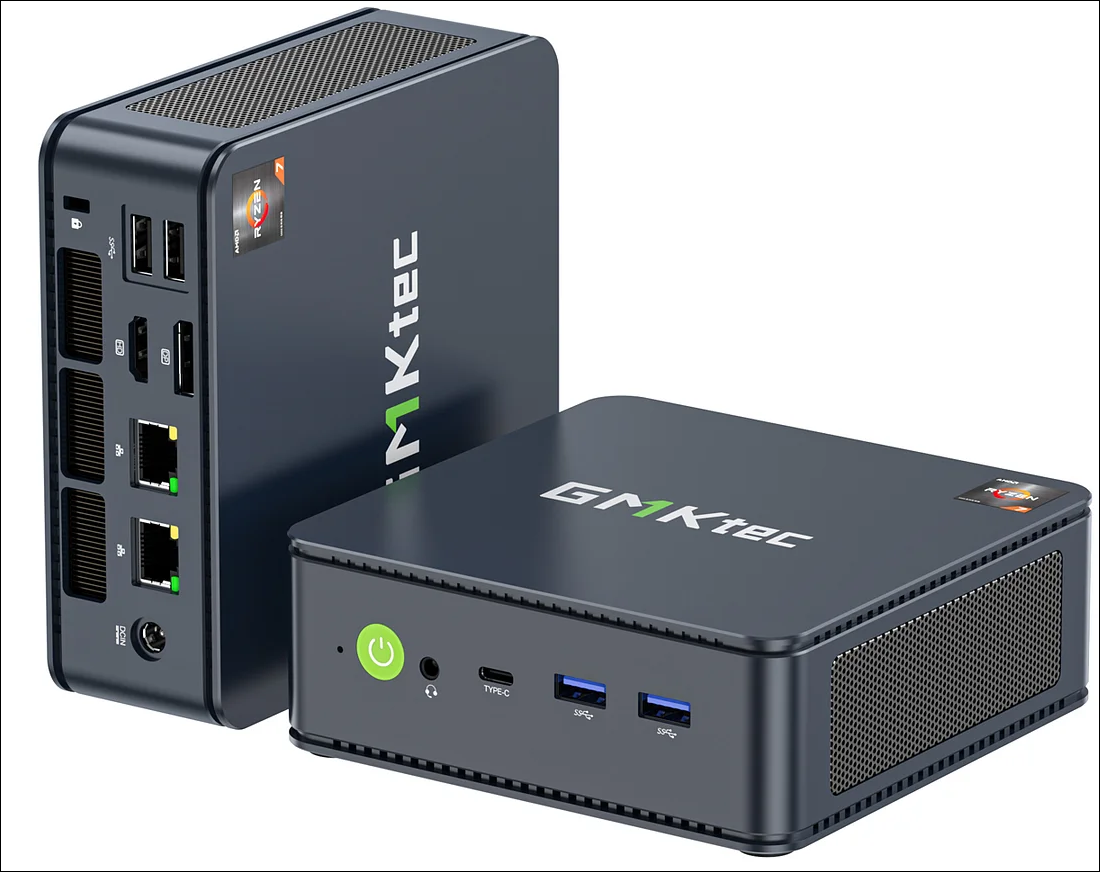
Let’s be honest. In the age of subscription fatigue and vanishing digital purchases, having your own little slice of the internet at home isn’t just for tech wizards anymore. It’s about control. It’s about having your entire movie library, a lifetime of photos, and every important document available instantly—without a monthly fee or a buffering icon.
That’s the dream of the home server. But the old stereotype? A whirring, heat-belching tower in a closet that sounds like a jet engine preparing for takeoff. Not exactly conducive to a peaceful living room or home office. Here’s the deal: it’s entirely possible to build a server that’s both a silent workhorse and an energy-efficient data vault. Let’s dive into how.
The Core Philosophy: Silence is a Feature, Not a Luxury
Think of your server like a library. A great library isn’t just about the books; it’s about the environment. You want a quiet, calm space where the information is just… there. The goal is to make the hardware itself fade into the background, both audibly and physically. This philosophy guides every component choice.
Choosing the Right Heart: CPU and Platform
For a media and data hoarding server, raw speed is often less critical than efficiency and integrated features. You’re not typically rendering 4K video on the server itself; you’re serving it. This is where modern low-power platforms shine.
The Intel vs. AMD Consideration
Honestly, both are fantastic now. Intel’s Core i3 or low-end i5 processors with Quick Sync are legendary for effortless media transcoding in apps like Plex or Jellyfin. They sip power at idle. On the other hand, AMD’s Ryzen APUs offer incredible multi-core performance for the price, which is great if you plan to run many containers or light virtual machines alongside your media duties.
The sweet spot? A CPU with a TDP (Thermal Design Power) between 35W and 65W. This low heat output is the first, and biggest, step toward a silent build. You can cool it with a large, passive heatsink or a fan that barely has to spin.
The Soul of the Server: Storage Strategy
This is where “data hoarding” gets real. Noise in a server often comes from two places: fans and hard drives. The clickety-clack of a dozen drives seeking data is… not silent.
The Hybrid Approach
Here’s a practical strategy. Use a small, fast NVMe SSD (like 500GB) for your server operating system and all your applications (Docker, Plex, etc.). This is whisper-quiet. Then, for your massive media and file storage, use large-capacity Hard Disk Drives (HDDs). But here’s the trick: use a filesystem or setup that allows the HDDs to spin down when not in active use.
When you’re not actively watching a movie or accessing files, the only thing spinning is maybe a case fan. The difference in ambient noise is profound. For the HDDs themselves, look for models marketed as “NAS” or “surveillance” drives—they’re built for 24/7 operation and are often a tad quieter than desktop drives.
Taming the Airflow: Cooling and Case Selection
This is where the magic happens. You’ve chosen low-heat components. Now you need to cool them intelligently, not loudly.
Forget flashy gaming cases. Look for a case designed for silence. These have sound-dampening foam on the panels, grommets for cables, and often come with large, slow-spinning fans. Brands like Fractal Design, be quiet!, and Silverstone have stellar options.
Cooling strategy is simple: positive air pressure. Configure your intake fans (usually at the front) to push in slightly more air than your exhaust fans (usually at the rear) pull out. This prevents dust from sneaking in through every crack and keeps airflow smooth and laminar—which is quieter than turbulent, chaotic airflow.
| Component | Silent/Efficient Choice | Why It Matters |
| CPU Cooler | Large tower heatsink (e.g., Noctua NH-U12S, be quiet! Dark Rock Slim) | Massive surface area dissipates heat with minimal fan speed. |
| Case Fans | 140mm or larger PWM fans | Bigger fans can move the same air as smaller ones at much lower RPM (and noise). |
| Power Supply (PSU) | Fanless PSU or “Zero RPM” mode unit | Eliminates a major noise source entirely during low-load operation. |
Software: The Invisible Maestro
Hardware is half the battle. The software is what turns this quiet PC into a powerful, set-and-forget server.
Operating System Choices
You have great options. TrueNAS Scale or Unraid are phenomenal for beginners and pros alike. They offer easy storage management (with that drive spin-down feature!), Docker support, and a web-based interface. They’re built to be headless—meaning no monitor or keyboard needed after setup. Just administer from your laptop on the couch.
Key Applications to Install
Once the OS is on, you’ll likely want:
- Plex/Jellyfin/Emby: Your media streaming brains. They organize and serve your movies/TV shows to any device.
- Nextcloud: Your personal Google Drive replacement. Syncs files, calendars, contacts.
- Photo Prism or Immich: For managing that giant photo hoard with AI-powered tagging.
- qBittorrent or Transmission: For, ahem, acquiring Linux ISOs, of course.
- Home Assistant: If you want to tie your smart home into your local server, avoiding the cloud.
The Final, Overlooked Detail: Placement and Power
Even a silent server needs a good home. Don’t stuff it in a cramped media cabinet with no air. Give it some breathing room. A shelf in a closet (with ventilation) or a corner of a room is perfect.
And about power—efficiency saves money and reduces heat. Use your motherboard’s power-saving settings in the BIOS (like C-states). They let the CPU drop into low-power modes when idle. A well-built server like this might idle at 30-40 watts. That’s less than many light bulbs.
Wrapping Up: Your Digital Homestead
Building a silent and efficient home server isn’t really about the hardware specs, you know? It’s about reclaiming a bit of autonomy in a noisy, subscription-locked digital world. It’s the quiet hum of your own data, on your own terms, accessible in an instant. It’s a project that pays for itself not just in saved fees, but in peace of mind.
You start by chasing silence, but what you end up with is something more: a resilient, personal archive that doesn’t ask for anything but a little electricity. It just sits there, in the corner, holding your world together without making a sound.


